

Momice updates
On this page, we will keep you updated on the latest features and bug fixes of the Momice software. Detailed information about specific features can be found in the Momice Help Center.
Last update: September 30, 2026
2026
September '26
With dynamic mailing lists, you can choose who you want to reach and schedule your email in advance. Just before sending, Momice checks again who matches your selection at that moment.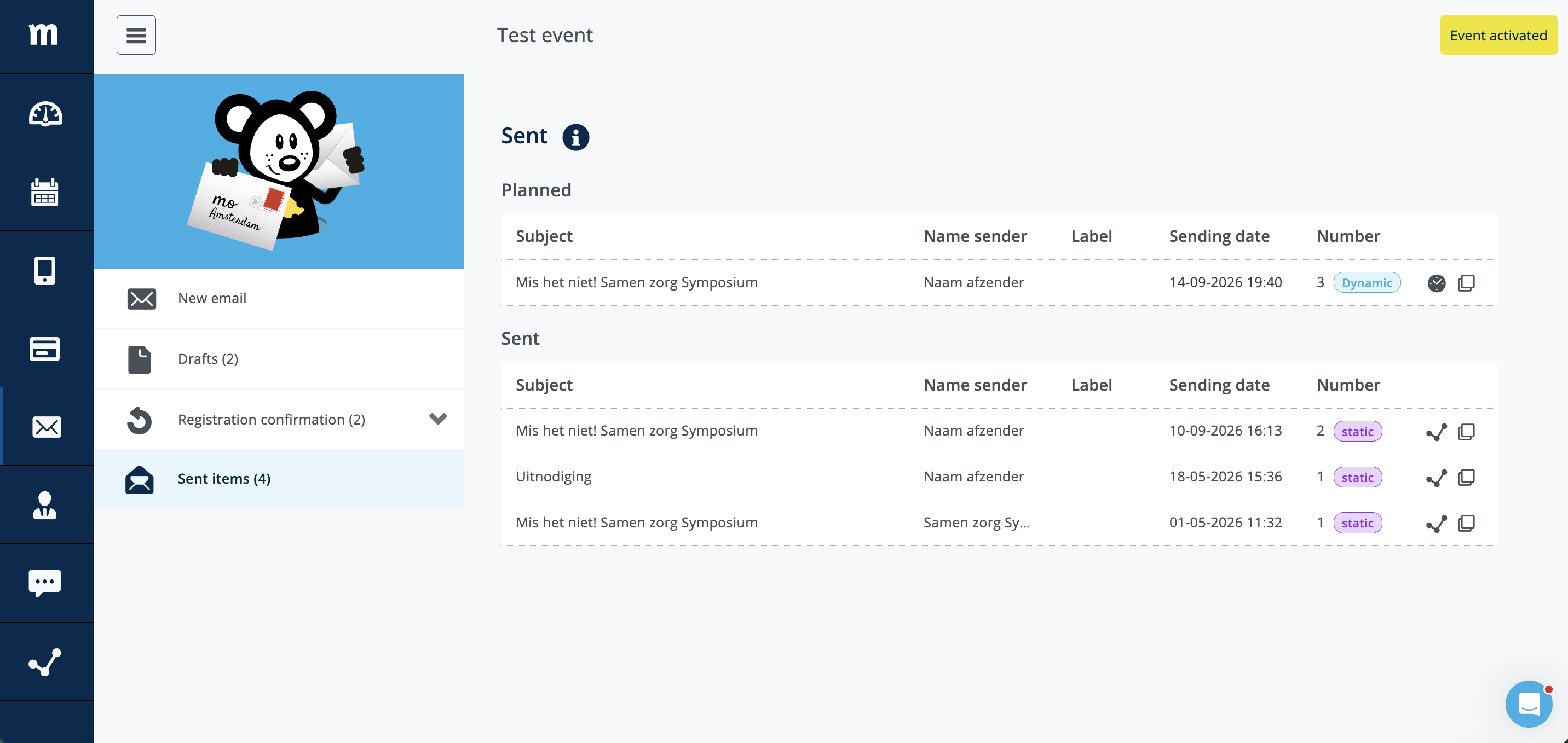
Features
- Mail Module | Dynamic mailing lists
Schedule your emails in advance. Before sending, Momice checks who matches your selection. - Mail Module | More filter options
Select even more specifically who you want to send an email to. -
Check-in app | Check-out confirmation
At an exit scan point, a clear confirmation is now shown when checking out. This makes it immediately clear that the check-out was successful.
Bug
-
Website Module | Mobile menu remains visible
The mobile menu now remains visible on smaller screens when menu icons are disabled, ensuring the menu always remains accessible to participants.
August '26
More control over your event finances! This August, we're making it easier to receive and manage your ticket revenue.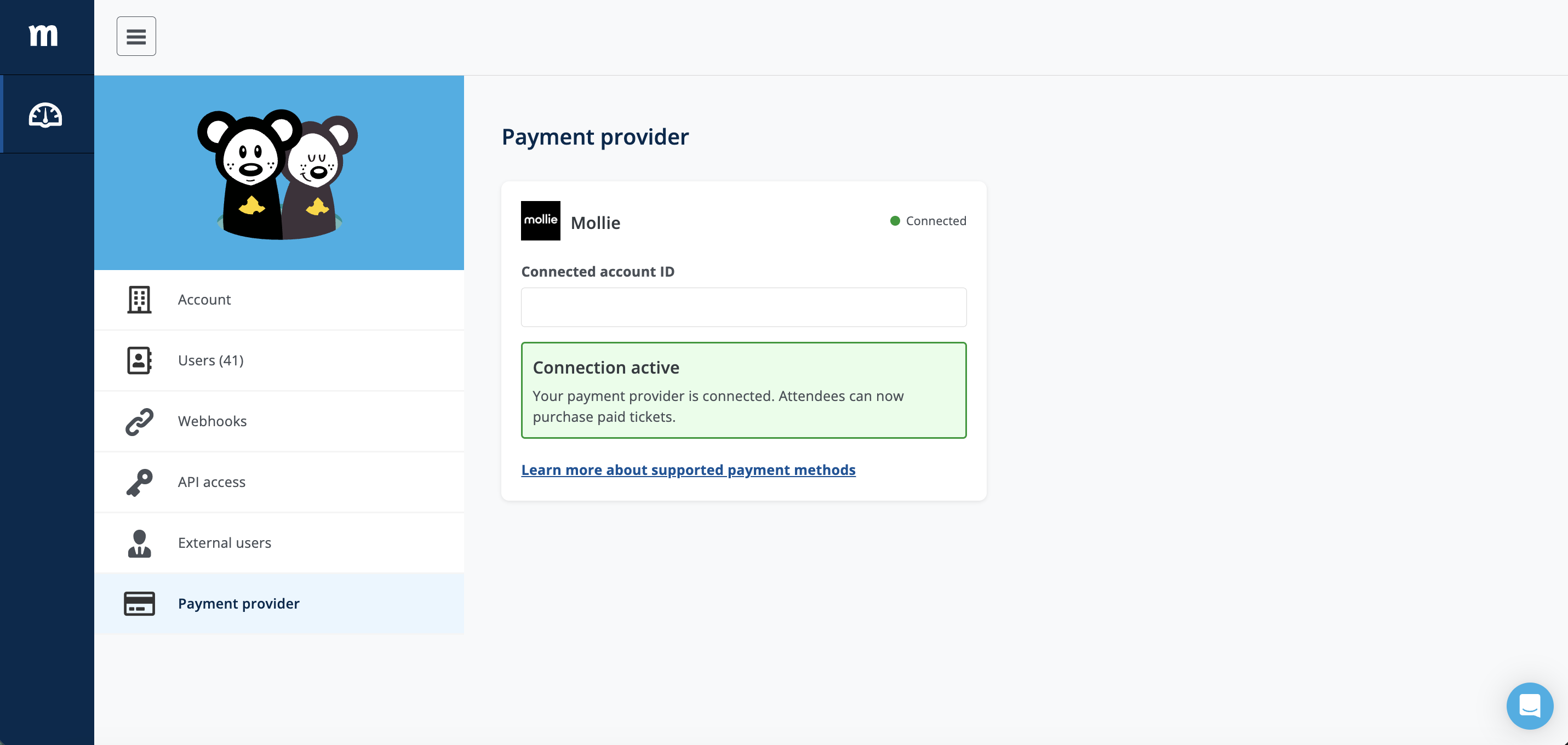
Features
- Paid tickets | Payments via your own Mollie account
Payments are processed through your own Mollie account. This means you receive your ticket revenue directly and have greater insight into your event finances.
July '26
July makes registration a little easier! With fewer steps in the registration process and further improvements to the digital accessibility of the event website.
Features
- Registration form | Ticket selection
Are there multiple ticket types in an event, but someone can only register for one of them? The ticket selection step is now automatically skipped and the registration form is shown right away. - Event website | Digital accessibility (WCAG)
The digital accessibility of the event website has been further improved, including the menu, language switcher, and icons. - Registration | Unsubscribe page
If someone tries to unsubscribe again, they will now see a clear message confirming that they have already unsubscribed.
Bugs
- Mail Module | Registration confirmation
After entry tickets are deleted, the registration confirmation is now automatically linked correctly to the remaining ticket.
June '26
In June, we focused on improvements to the Website Module, Check-in app, and e-tickets to to improve your experience with Momice.
Bugs
- Website Module | Speakers page
The display of text on the Speakers page has been improved, so long words are no longer cut off. - Website Module | Survey page
The 'Read more' link to the Help Center article on the Survey page is working again as expected. - E-tickets | PDF display
Text and special characters are now displayed correctly on PDF e-tickets. - Check-in app | External QR codes
Scanning external QR codes no longer causes delays in the Check-in app.
May '26
This month, we expanded user management and registration forms with new features and improvements.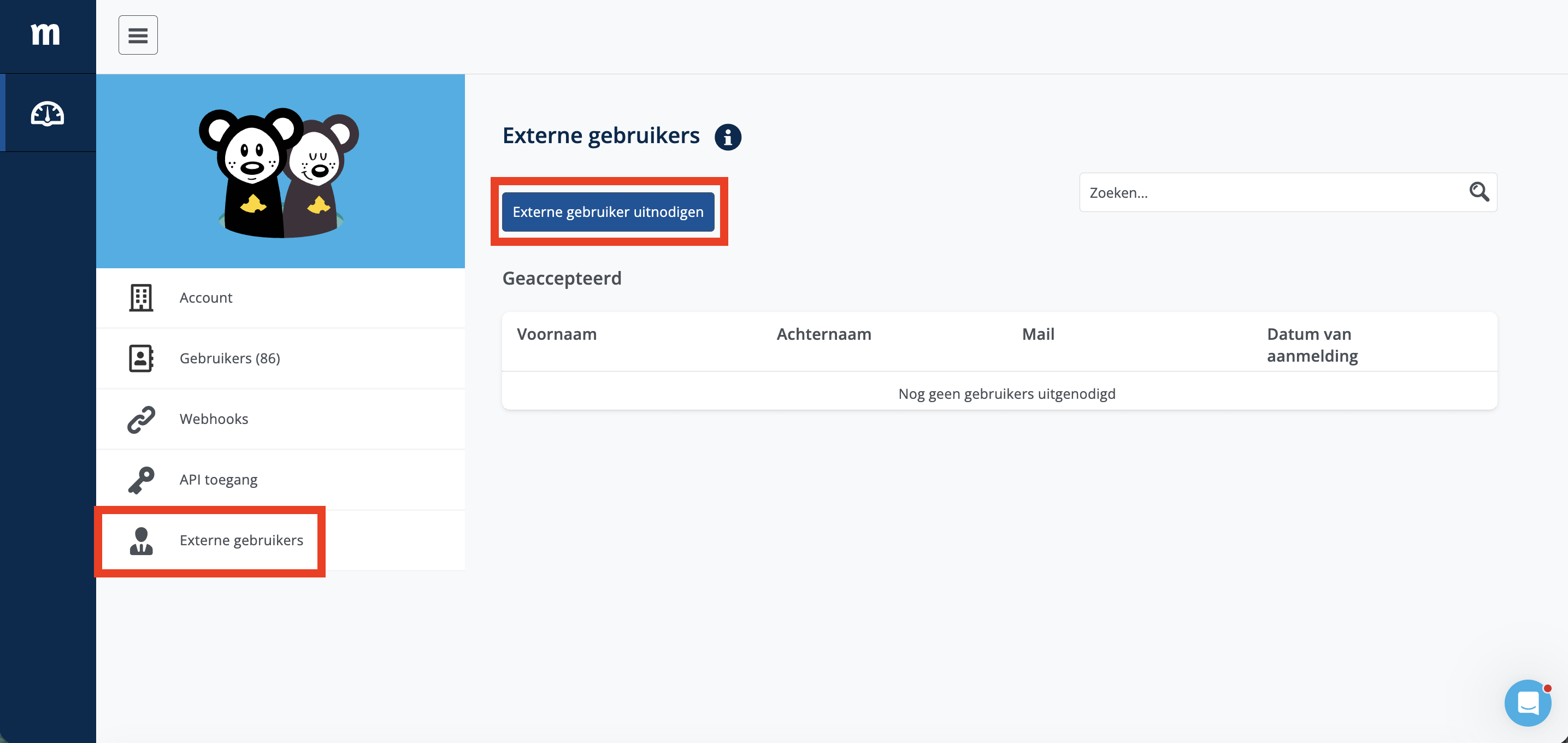
Features
- User Management | You can now easily add users from other Momice accounts and collaborate on events together.
- Registration form | The message about the remaining time for paid tickets now automatically matches the selected formal or informal writing style.
- Registration form | A mandatory country code selector is now shown by default when requesting a phone number.
- Event website | The maximum length of webhook URLs has been increased from 256 to 300 characters.
Bug
- Program page | Program times are now displayed the same way everywhere.
March '26
In March, several improvements were made to the Mail Module, Website Module, and Check-in app.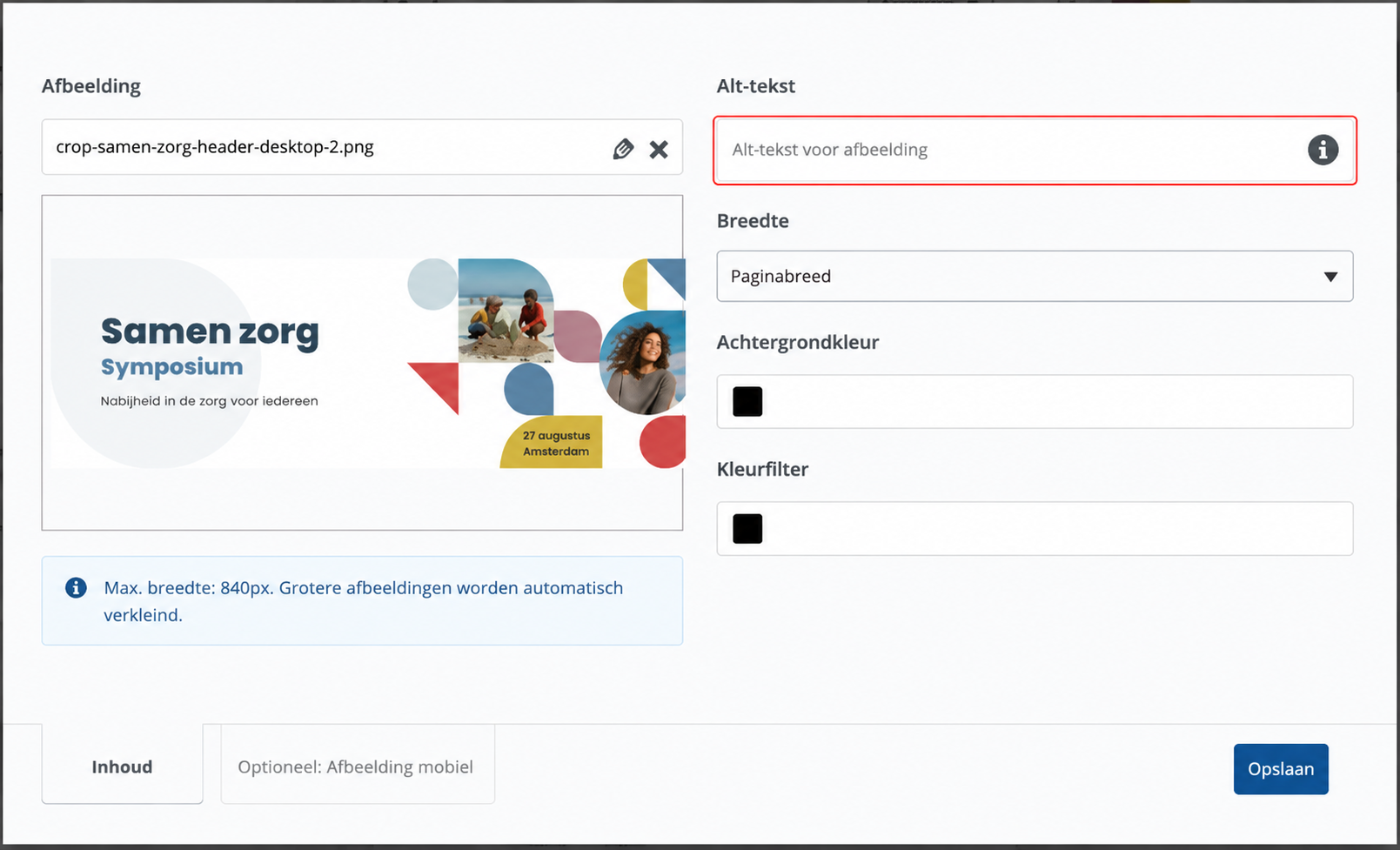
Features
- Mail Module | The unsubscribe link now displays the event title, making it immediately clear which event someone is unsubscribing from.
- Digital accessibility (WCAG) | You can now add alt text to images in the header and image widgets.
Bugs
- Mail Module | In emails, the imported field
{event}now correctly displays the event title for invitees. - Website Module | The alignment of the text + image widget has been improved, ensuring images and text are aligned according to the selected scale.
- Check-in app | The scanner now continues working after scanning invalid QR codes.
February '26
Work even more effortlessly in Momice thanks to improved email delivery, smart warnings for integrations and various optimizations. 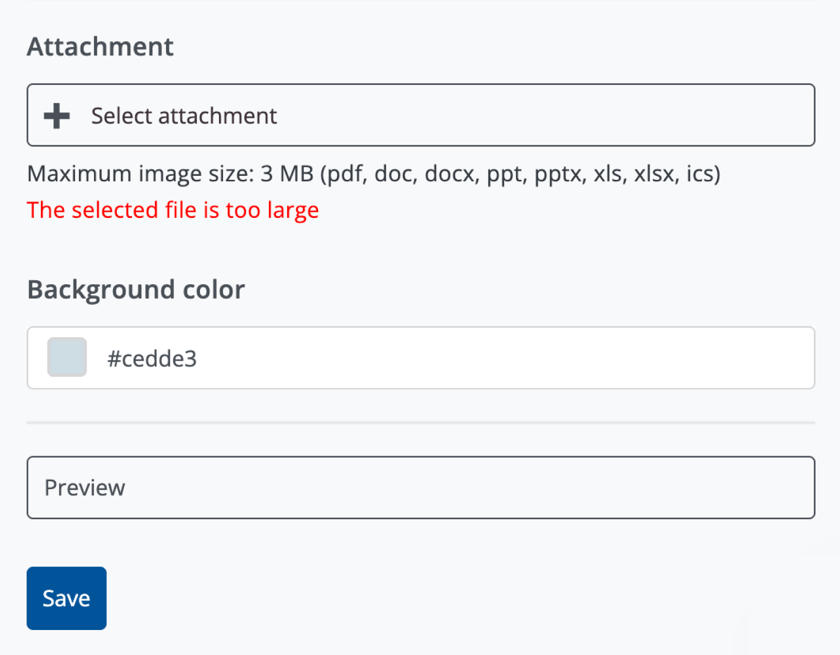
Features
- Registration confirmation | Momice now shows a warning when images are too large for PDF attachments (such as e-tickets or invoices), ensuring registration confirmation emails are successfully delivered.
- Active integrations | A warning is shown when changing a participant’s registration status, so users are aware this may also trigger actions or data changes in other tools connected to Momice.
Bugs
- New users | New users with an event license role now automatically receive the account’s event template (if configured), instead of only a demo event.
- Guest list import | Empty email values are now handled correctly when importing CSV and Excel files, preventing errors during import.
January '26
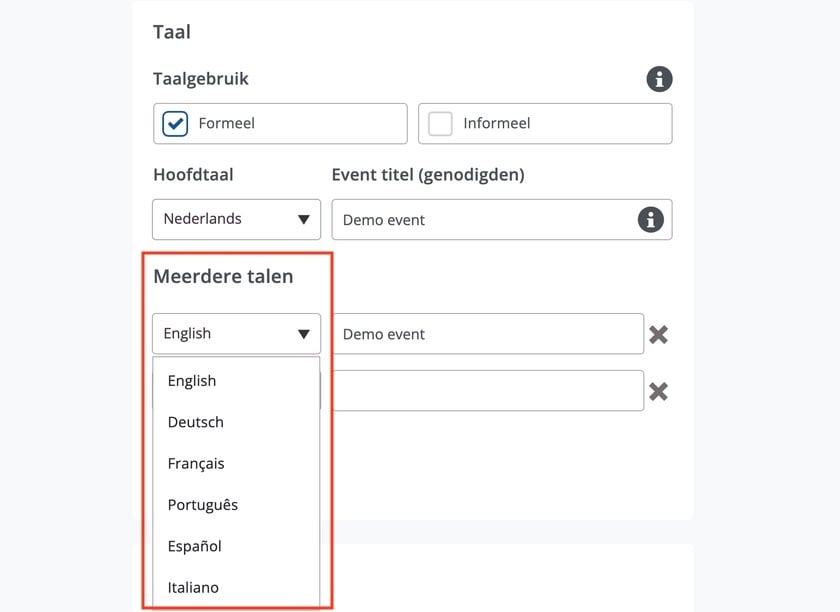
New features! You can now set up events in more than two languages, with support for up to seven languages per event. Your dashboard has also become smarter: events are now displayed chronologically, with upcoming events shown at the top.
Features
-
Multilingual events | It is now possible to set up events in up to 7 different languages.
-
Dashboard | Events are now displayed chronologically, with upcoming events shown first.
-
Template management | Users can now delete their own website templates directly from the Design tab.
Bugs
-
Paid tickets | Revenue reports remain accurate when add-on prices are changed.
-
User roles | External observers now receive the correct access immediately and are also visible as observers in the user overview.
-
Program page | Program times on event websites are now displayed correctly (for example 00:30 instead of 0:30).
2025
December '25
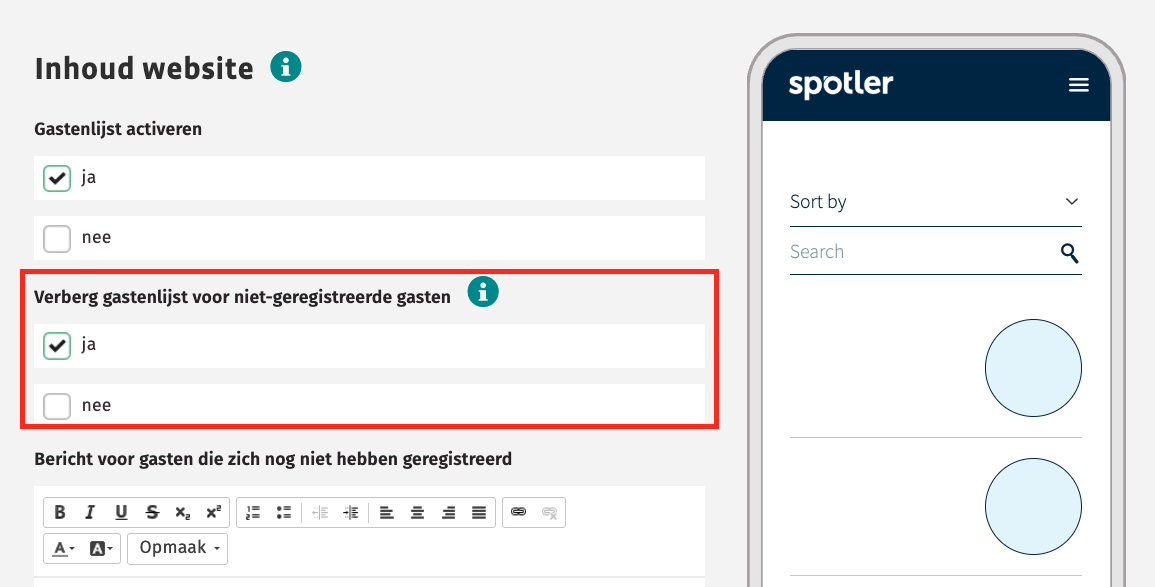
In December, a new feature was added to hide the information on the guest list page from unregistered visitors, and we looked ahead to the roadmap for the coming year.
Features
- Guest list page | It is now possible to hide the guest list content from unregistered visitors.
Bugs
- Design | The text on purple buttons is now displayed in the correct color, for better readability.
- Registration | Email validation during registration now also supports email addresses with a “+”.
November '25
In November, we implemented several targeted improvements and continued optimizing Momice, with a focus on refining existing functionalities.
Bugs
- Add users | The invitation flow for external observers has been improved, ensuring the process runs smoothly.
- Ticket settings | Deselecting registration questions in the ticket settings now works correctly and remains saved after reloading.
- Paid tickets | The payout button is now displayed correctly for event owners, 7 days after the event end date.
October '25
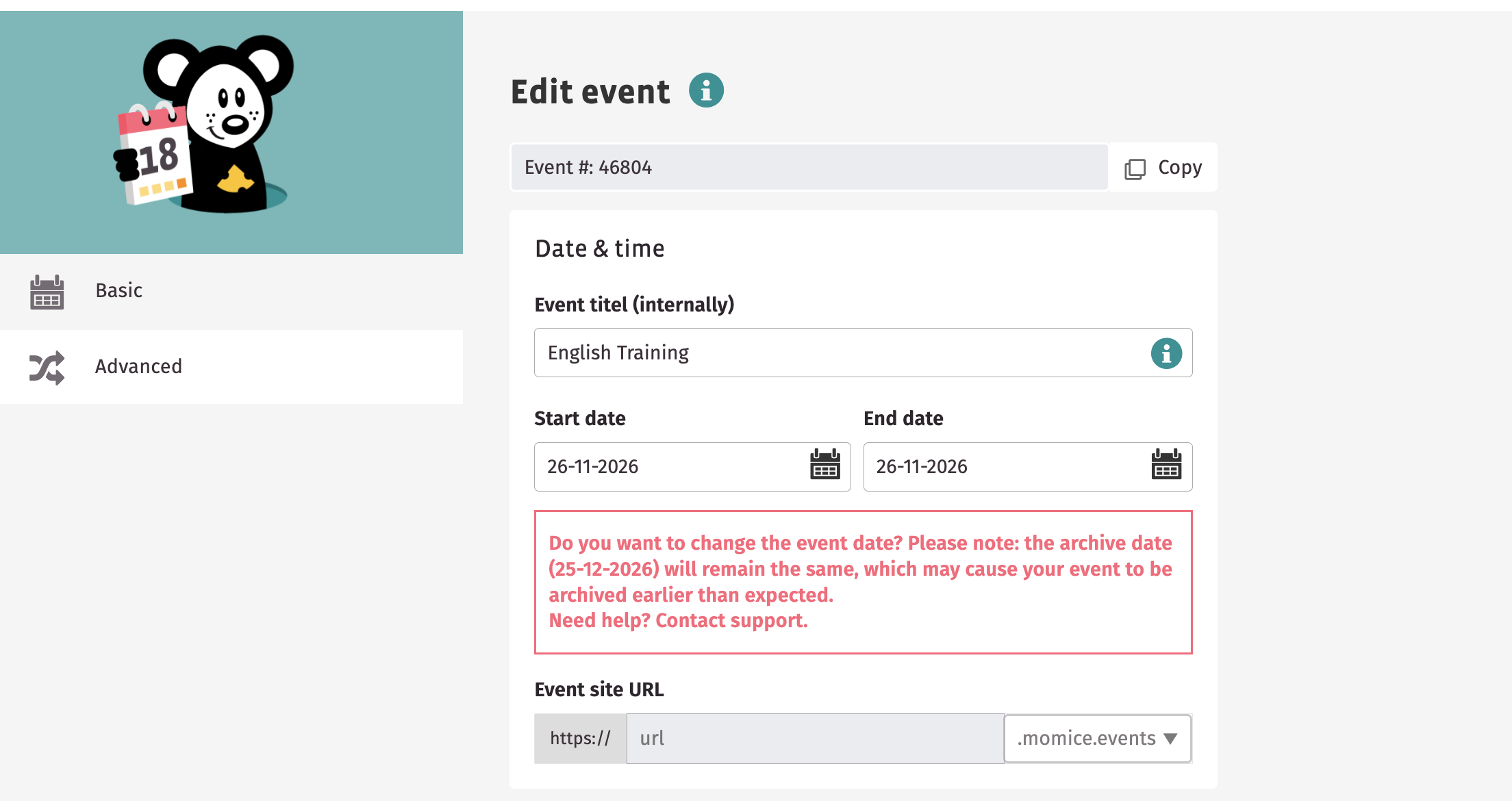
October was all about ease of use! You can now copy the event ID with a single click from your event settings. In addition, we’ve improved the overall user experience by fixing various bugs.
Features
- Copy event ID | You can now copy the event ID with a single click using the new shortcut in the Settings module.
Bugs
- Mail module | Displaying a € (euro) symbol in an email subject is now possible again.
- E-ticket | An issue where the wrong address (location) was shown on e-tickets for duplicated events has been resolved.
- E-ticket | The formatting of registration details on e-tickets has been restored for a clear display.
- Guest registration | During registration using the guest module, workshop availability is now displayed correctly again.
September '25
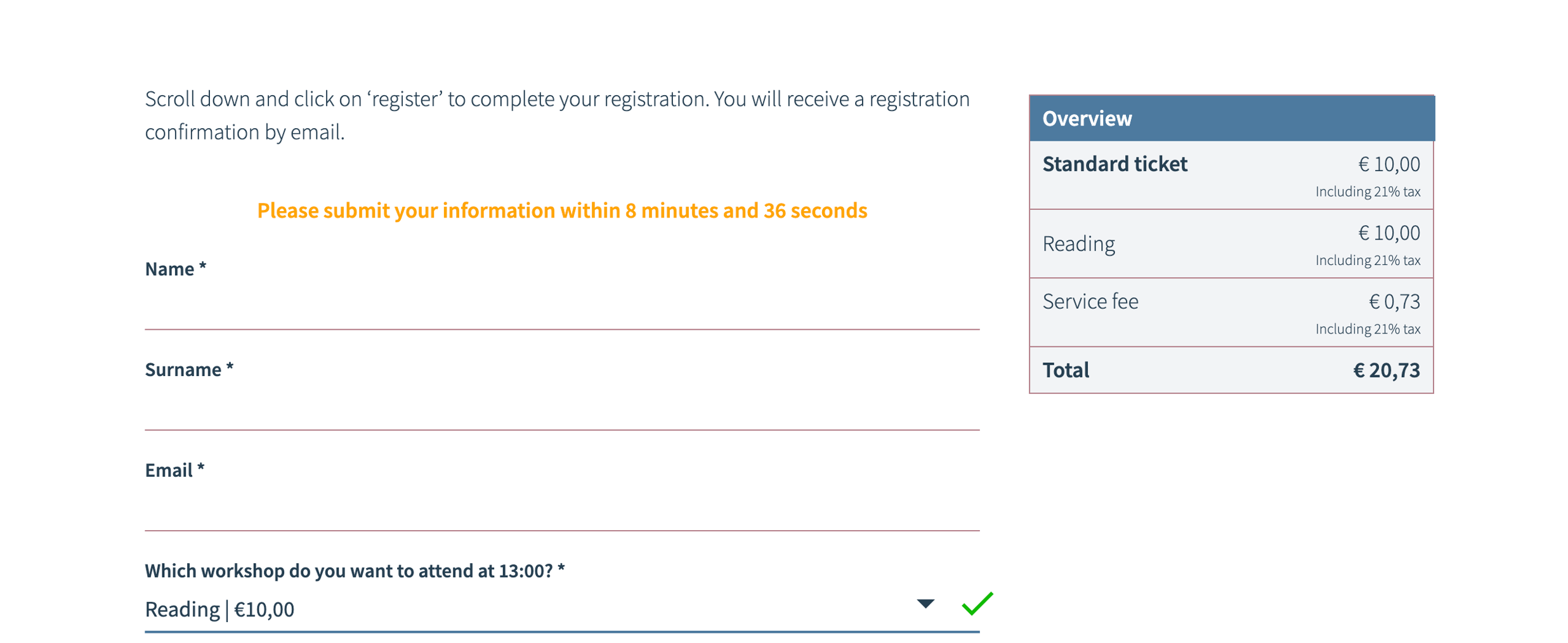
You can now offer additional paid items to your participants within a paid ticket.
Think of options such as a parking ticket or dinner choices. Read all about this new update here.
Features
- Paid tickets | It is now possible to add additional paid items to a paid ticket.
- Mail module | The checklist shown when sending an email has been changed to a text-only checklist.
- WCAG | A new update has been released to support WCAG guidelines.
- Event date | Changing the event date of a published event is no longer possible without restriction. This prevents the archive date from not being updated when the event date changes.
Bugs
- Floor plan page | When no image is imported, the page used to show an error message. This issue has been resolved.
- Event website | Displaying a $ (dollar) sign is possible again.
- Attachments page | The PDF icon has been correctly aligned again, making it clearly visible on the attachments page.
August ' 25
During the holiday period, several bugs have been fixed to ensure the website continues to function smoothly. In addition, demo events are now filtered out for the main user, helping to maintain a clear overview.
Features
- Demo events | As the main admin of an account, newly created demo events are no longer automatically added to the dashboard. They are filtered out to keep the overview clear.
Bugs
- E-ticket | The alignment of e-tickets has been improved.
- Event website | The alignment of text and content on the event website has been improved.
- Registration question | An issue that caused incorrect file uploads in the file upload question has been resolved. Uploading the correct files is now possible again.
July '25
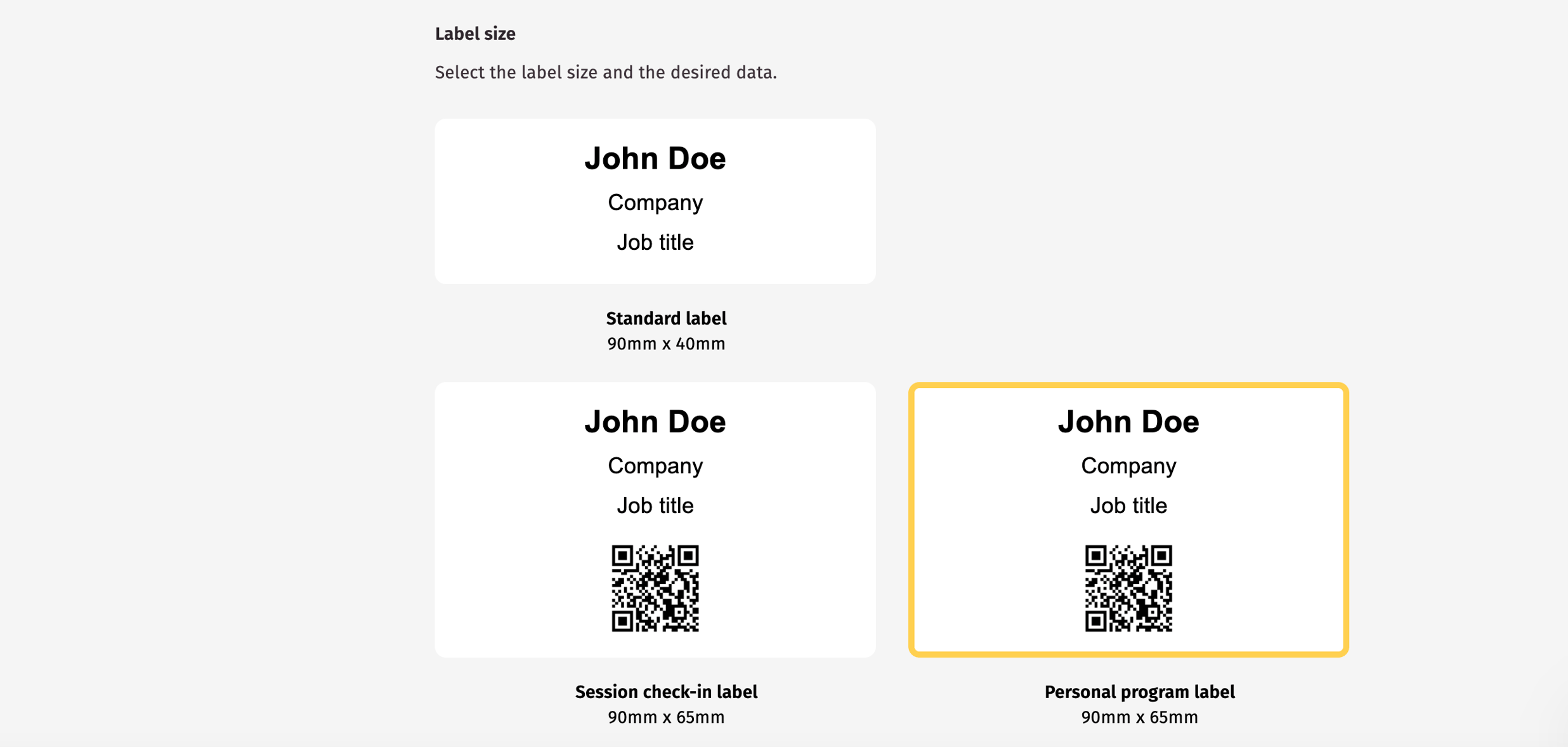
Several great new features were launched in July. The Ticket Module has been redesigned to be more intuitive and avoid confusion. And during check-in, you can now use a single QR code both to check in participants and give them access to their personal page.
Features
- Check-in | Check in participants and give them access to their own personal programme using a single QR code. This is now possible.
- Design | The tab bar icon can now be found under the “top bar” section instead of “mobile”.
- Ticket module | Confusion in the Ticket Module has been resolved by keeping the most important settings easily accessible and moving advanced settings to a separate section.
- Registration form | When you add a new question, the page no longer reloads immediately, reducing irritation.
June '25
During the holiday period, it’s important that you have access to events from your colleagues who are away. From now on, you can also transfer ownership of events that are not published.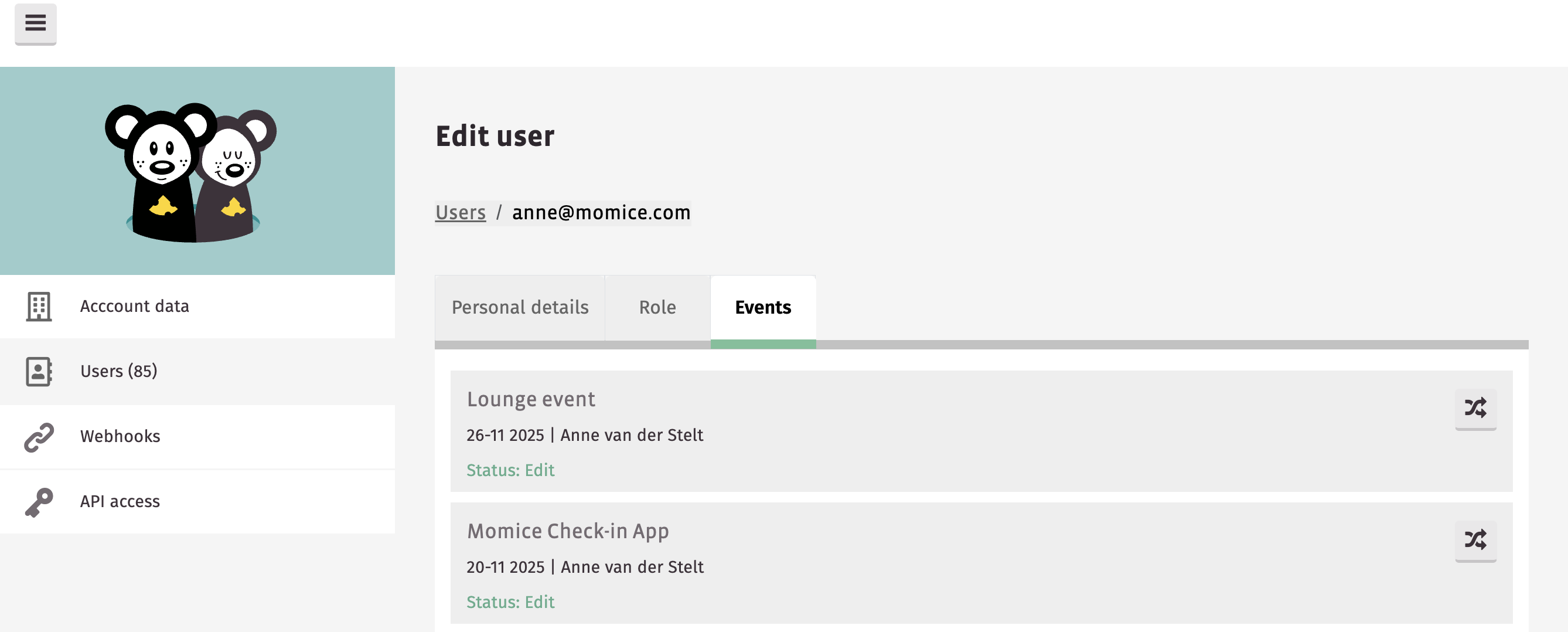
Features
- Check-in | With clearer error messages in the app, you can use the check-in app more smoothly.
- Settings dashboard | Change the owner of unpublished events.
Bugs
- Registration module | A visual bug in the registration module has been fixed.
- Ticket module | Tickets for which a paid ticket has been purchased can no longer be deleted unintentionally.
May '25
From May onwards, you’ll get up and running even faster with 7 new standard Momice templates. They fit perfectly with every type of event. In addition, you now get a better preview of how your email looks on different devices.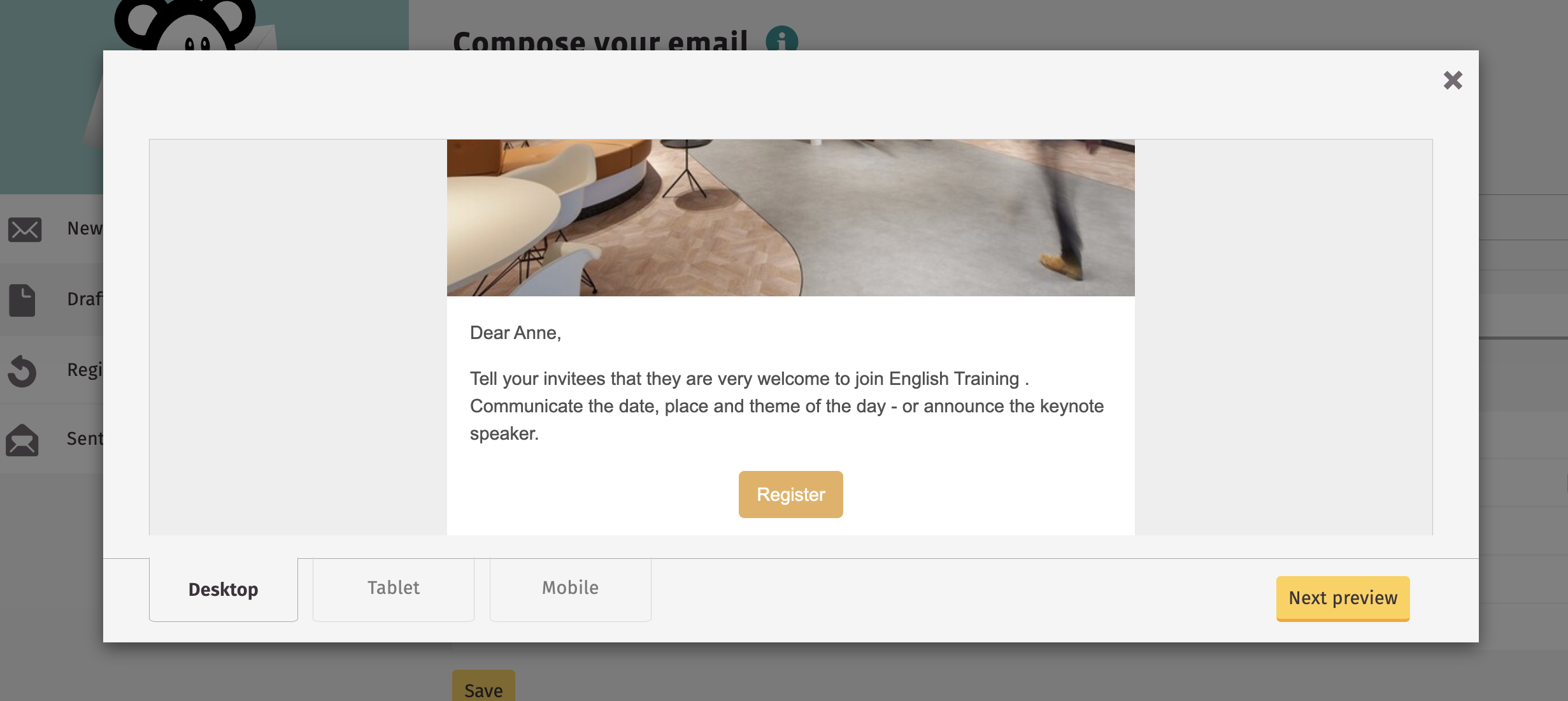
Features
- Mail module | You can now preview your email on different devices.
- Design | You can now use 7 new Momice templates 🎨!
- API access | You now have access to our API, directly via Momice.
April '25
Multiple new features make April a great month for Momice! With a new question type, you as an organiser now have even more options in the registration form. And from now on, you can refund paid tickets to your participants.
Features
- Check-in & badges | As an organiser, you can now choose to print a badge twice.
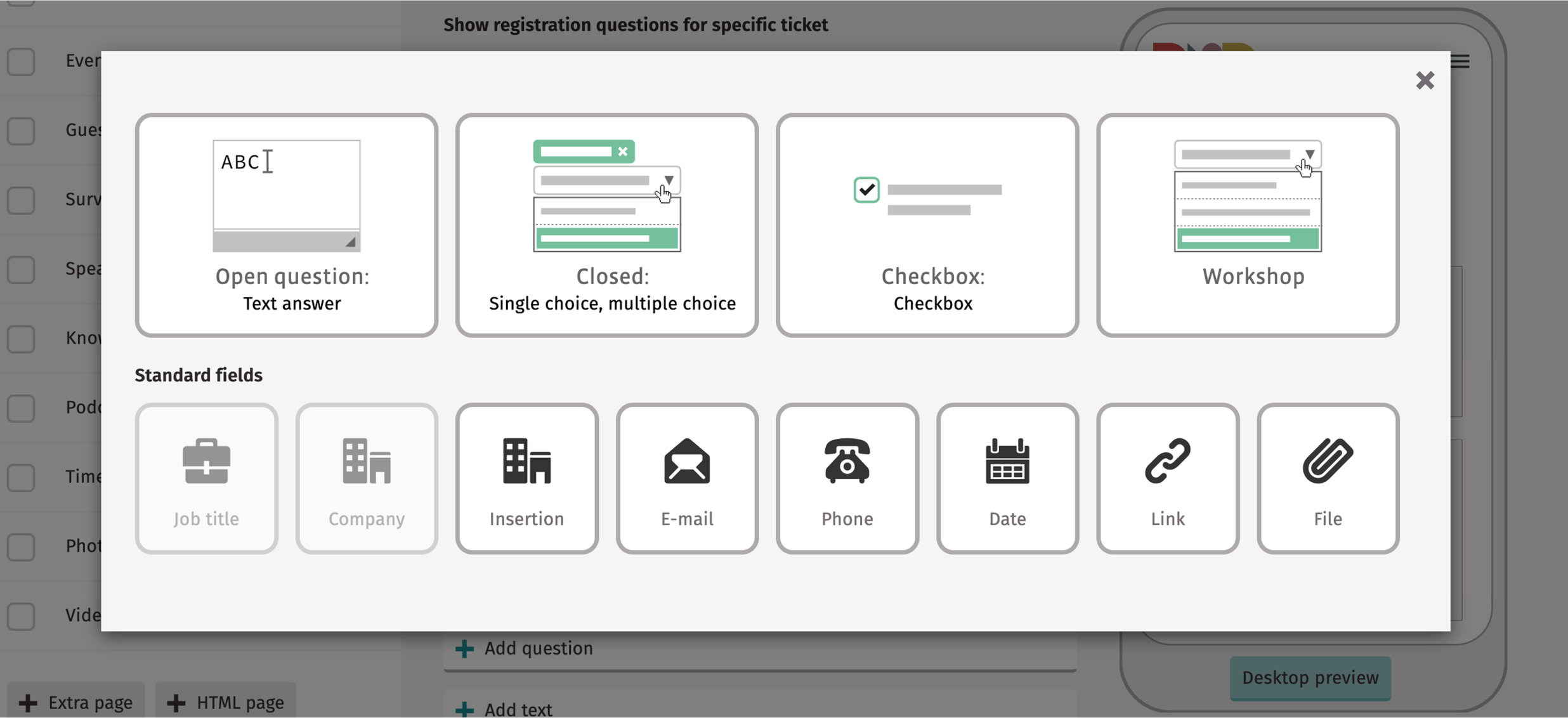
- Registration form | New question type ✨! Collect documents from your participants using the new attachment registration question.
- Paid tickets | When a participant cancels their registration, you can now refund the ticket amount to the participant.
- Mail module | Images with the same file name will no longer be cached by the email client.
- Homepage | New speakers, contacts, sponsors, and more will now be added to the homepage widget by default.
Bugs
- Mail module | Emojis are now supported again in the registration confirmation email.
March '25
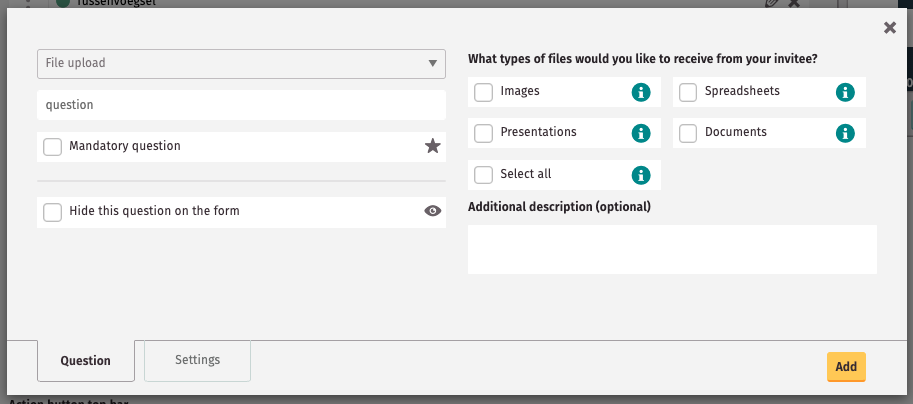
We begin March with a completely new question type for the registration form! Have your participants upload an attachment now.
Features
- Registration Questions | Participants may upload an attachment with their registration. Think of a CV, completed assignment, or presentation deck.
- Multiple choice question | You can now choose to show the max number of registrations per multiple choice question.
- Demo event | We have disabled the option to duplicate the default Momice demo event. This prevents you from forgetting to add settings or styling to your event.
- Add users | Adding users to your event is now easier, and working together is more efficient.
Bugs
- Ticket Module | The maximum number of available tickets is now better enforced. As a result, overbooking no longer occurs.
February '25
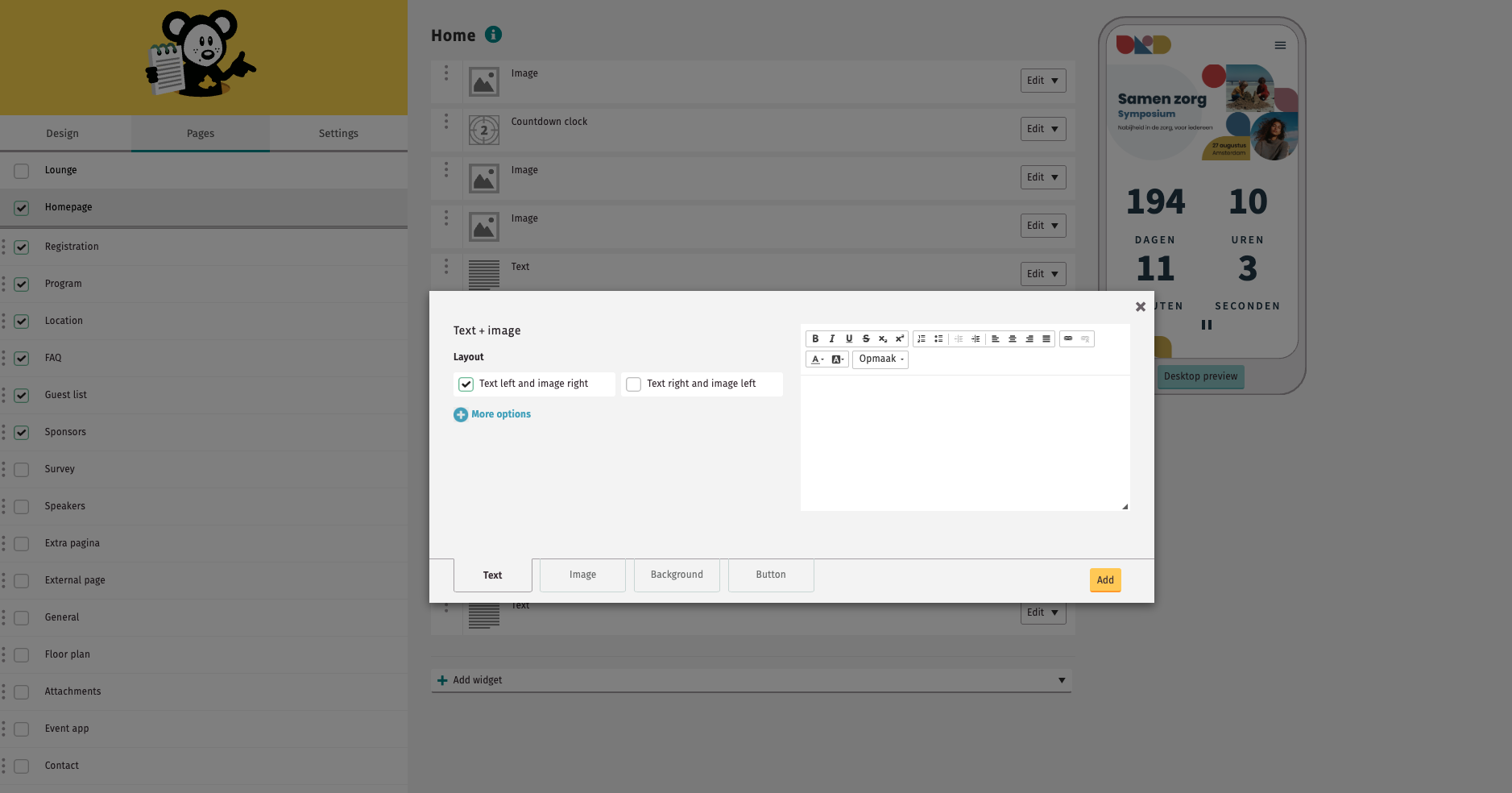
In February, we launched a new widget for the homepage 🤩! You can now place text and images side by side. This makes your homepage look even better!
Features
- Super user | New demo events are no longer automatically added to the Super User dashboard, to avoid clutter..
- WCAG | A new update has been launched to improve WCAG compliance for the workshop questions.
- Mail Module | When testing a registration confirmation, Momice will now automatically find an example of a completed registration.
- New homepage widget | With the latest widget for the homepage, you can place an image and text next to each other.
Bugs
- Paid tickets | If someone chooses to pay later, they will now see the price that was active at the time of purchase.ip van aanschaf actief was.
- Personal page | Removed workshop questions no longer affect the personal page.
January '25
New year, new updates! To make sure you're always working with your white label domain (if purchased), we've made filling it out mandatory. This will take your events to the next level!
Features
- Whitelabel domain | If you have your own domain for your events by default, it is now mandatory to create a domain.
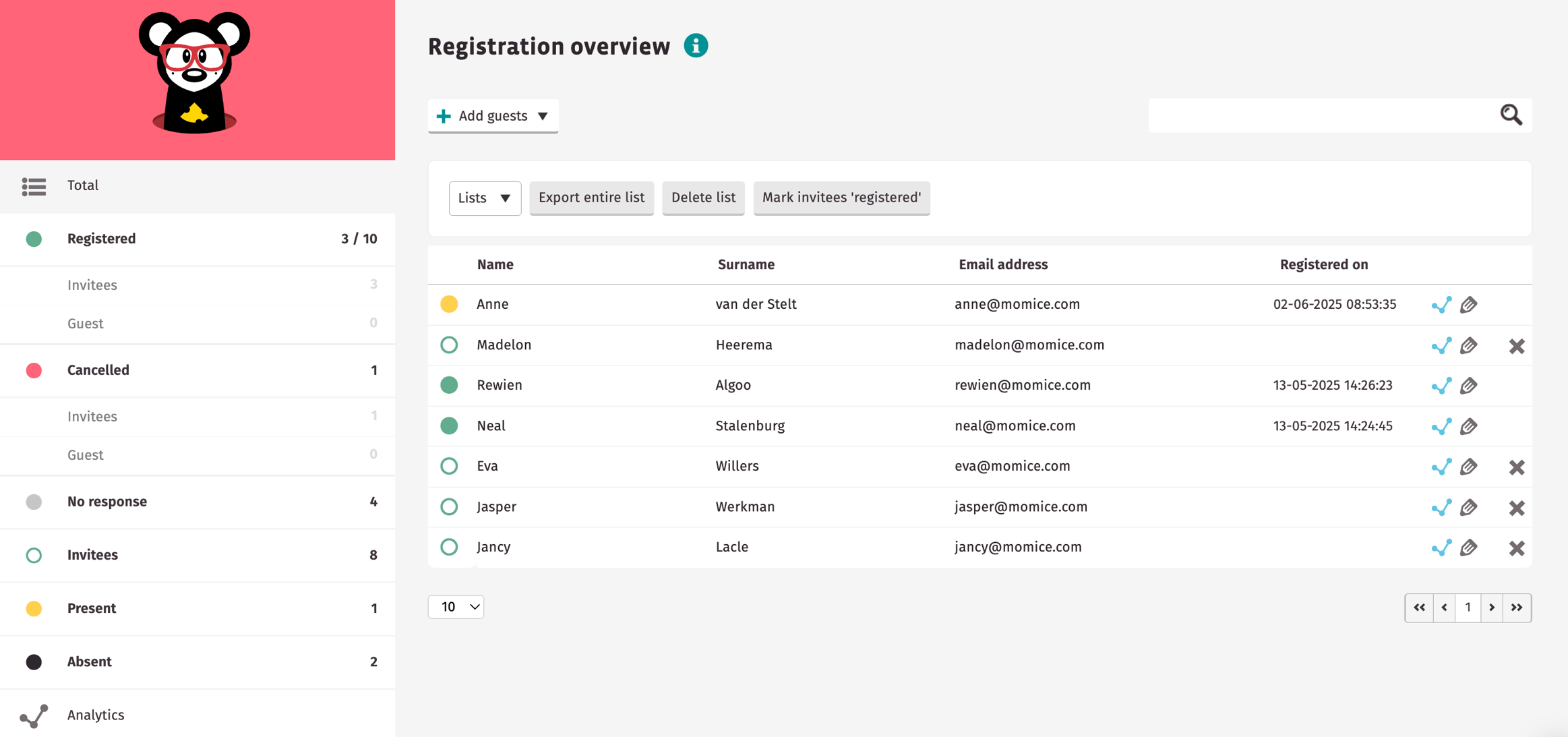
- Registration Module | If you make a change on a subsequent page in the Registration Module, you will remain on that page after saving the change.